Run your whole insurance operation under one cover.
InsureERP is the working system for insurance companies and third-party administrators. Customers, quotes, policies, claims, billing and reports live in one place, and you decide who approves what.
Free to use today, for the main account and up to 10 users.
One system, from the first quote to the last claim payment.
Many insurers and administrators run on spreadsheets, email threads and separate tools that do not talk to each other. InsureERP replaces them with one shared record of every customer, policy and claim, so each team works from the same facts.
- CustomerRegister the person or company, with documents and history.
- QuotePrice the risk from your own products and rating rules.
- PolicyIssue it, then endorse, renew or cancel when things change.
- InvoiceBill in one payment or in instalments, and record what is paid.
- ClaimCheck cover, set the reserve and approve the settlement.
- PaymentPay the customer or the provider, and close the file.
For insurance companies
Build your own products, sell through branches, agents and brokers, and follow each policy from quote to renewal.
- Your products
- Coverages, rates and underwriting rules that you set up and change yourself.
- Referrals
- Risks outside your rules wait for an underwriter instead of being issued.
- Commission
- Worked out on every policy for the agent or broker who brought it.
- Loss ratio
- Premium against claims for each product, whenever you want to see it.
For third-party administrators
Administer policies and claims for the insurers you work for, and manage the providers who treat or repair.
- Client insurers
- Each policy is linked to the insurer that carries the risk.
- Provider network
- Hospitals, clinics, pharmacies and garages, each with its contract dates, network tier and agreed discount.
- Pre-approvals
- Approve treatment before it happens, then turn the approval into a claim.
- Provider payments
- Settle a claim to the provider or to the customer, with an approval chain if you want one.
What is inside
Every module is included from the first day. The main account can switch off the ones a company does not need, and they disappear from every menu.
- Customers
- People and companies with their identity checks, documents and complaints, and the full history of every quote, policy, claim and email.
- Products and rating
- Your own products for motor, health, life, property, marine and travel: coverages, rates, discounts, loadings, and the rules that refer or decline a risk.
- Leads and quotes
- Follow each lead, price a quote in seconds, send it as a PDF, and turn it into a policy when the customer accepts.
- Underwriting
- A queue of referred risks, each with the reason it was referred. Accept with a loading or decline, and the decision is kept on record.
- Policies
- Issue, endorse, renew, cancel and reinstate. Premium changes are worked out pro rata, and schedules and certificates are generated for you.
- Claims and pre-approvals
- Register the loss, have cover checked automatically, then reserve, approve and pay. Pre-approvals for treatment turn into claims.
- Billing and payments
- Invoices, instalments, receipts, refunds and credit notes, with reminders for overdue payments and an aging view of what is owed.
- Providers, agents and brokers
- Hospitals, garages and other providers. Agents and brokers with their commission rates, earned commission and statements.
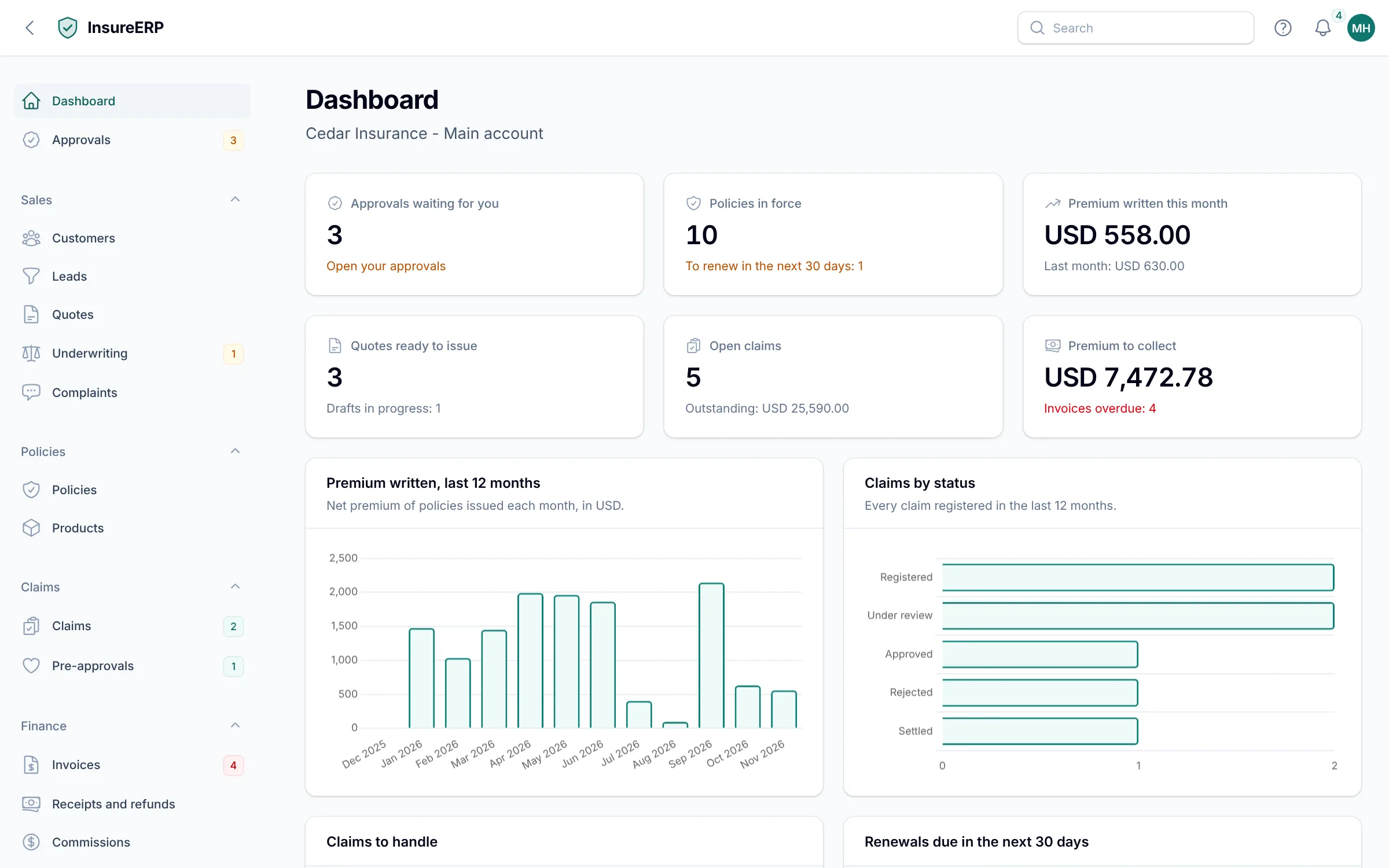
- Dashboard and reports
- Production, claims, loss ratio, collections, aging and renewals. Every report exports to Excel or PDF.
- Documents and email
- Letters and emails in your own words, PDFs that carry your logo, and a log of every email the system sent.
- Audit trail
- Every change is recorded with who made it and when, so any question about a record has an answer.
You decide who approves what.
The main account has full access and sets the rules. For each sensitive action, choose the role that starts it and the roles that must approve it, in order. Add an amount, and smaller cases go straight through.
While a request is waiting, the record is locked. Each approver can approve, reject or send it back with a comment, and every decision is kept.
Chains can cover issuing, endorsing, cancelling and reinstating policies, accepting referred risks, discounts, claim reserves, settlements and payments, refunds, credit notes, write-offs, commission payments and publishing a product.
Three chains a company might set
Claim payments above USD 10,000
- Claims Officer
- Claims Manager
- Finance Officer
Quote discounts above 10%
- Sales Agent
- Underwriter
Every policy cancellation
- Customer Service
- Underwriter
- Finance Officer
Each person hears only about what concerns them.
The main account chooses, for every user, which events ring the bell inside the system and which also arrive by email. A role comes with sensible defaults, so most users need no setup at all.
Email is built in. Quotes, policy documents, invoices, receipts and reminders go to your customers from your own address, using templates you can reword, and every email is logged.
| For one user | In the system | By email |
|---|---|---|
| Approval requested | On | On |
| New claim registered | On | Off |
| Payment overdue | On | On |
| Renewal due | On | Off |
| Policy issued | Off | Off |
Five of the seventeen kinds of notification, set for one user.
Three steps to a working system
- Create your company accountRegister with your company name and your email. You become the main account, with full access to your company.
- Add your peopleCreate up to 10 users, give each one a role, and set the approval chains you want.
- Set up products and startEnter your products and rates, then register customers, quote and issue your first policy.
Free to use today
Every module is included. Paid monthly plans will be introduced later. Until then there is nothing to pay and no card to enter.
Starter
USD 49 per month
The main account and up to 3 users.
Sales, policies and billing for a small team.
Choose StarterProfessional
USD 149 per month
The main account and up to 10 users.
Every module: claims, providers, portals and payments.
Choose ProfessionalQuestions people ask first
More answers are in the documentation.
Who is it for?
Insurance companies and third-party administrators of any size. You say which one you are when you register, and InsureERP shows the screens that fit. A TPA, for example, also manages the insurers it works for.
Can other companies see our data?
No. Every record belongs to one company, and your users only ever see the records of your own company.
What can the main account do?
Everything inside its own company: create users and roles, switch modules on or off, set approval chains, choose who receives which notification, and read the full audit trail.
Which lines of business does it cover?
You build your own products. Motor, health, life, property, marine and travel are available as lines, and motor and health are covered in the most detail today.
Can it send email from our own address?
Yes. Enter your mail server details in Company settings and quotes, policy documents, invoices and reminders go out from your address. The wording of each email is yours to change.
Does it work on a phone?
Yes. Every screen adapts to phones and tablets, so you can approve a request or look up a policy away from your desk.
How do our people learn to use it?
The documentation explains each part in plain language, and every screen in the system links to its guide.
Contact us
Tell us about your company and what you need. We will reply by email.